


Paid tier addition: This is the first of a new format I'm calling Notes: shorter posts capturing small discoveries worth passing along. The deeper, research-backed posts you're used to aren't going anywhere. Notes are in addition to those, not a replacement.
Claude Code’s /init command analyzes your codebase and generates a CLAUDE.md file, the persistent memory that shapes every future session. Most people run it once and move on. But there’s an environment flag that turns this from a one-way scan into a two-way conversation, and the difference in what comes out the other side is worth knowing about.
Here’s what both modes actually look like on the same codebase (chat-rag-explorer).
The baseline: /init without the flag
Claude reads your project silently. Files, patterns, imports, test structure. It produces a CLAUDE.md in roughly a minute. For a mid-size Flask app, that came out to a solid 61-line file covering commands, architecture overview, testing conventions, and project-specific patterns like Conventional Commits and how the sample DB copy mechanism works.
No questions asked. Nothing to configure. A useful artifact you’d otherwise have written by hand.
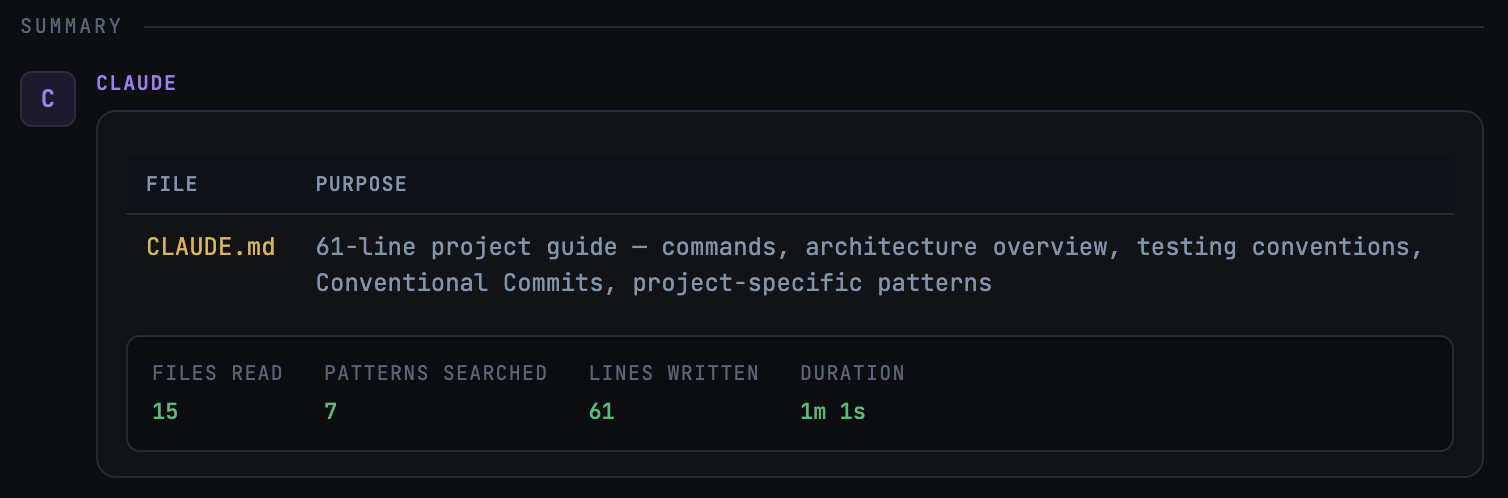
CLAUDE.md fileThis is the floor, and it’s a good one. If you’re dropping Claude Code into a project for the first time, running /init bare is better than not running it at all.
With CLAUDE_CODE_NEW_INIT=1: Claude starts asking
Start Claude with CLAUDE_CODE_NEW_INIT=1 claude, run /init, and instead of silently scanning your project, Claude starts a conversation. It asks what you want to set up: CLAUDE.md files, skills, hooks, or some combination. It explores your codebase with a subagent, then comes back with follow-up questions before presenting a reviewable proposal. You can see the full (summarized) conversation here.
The pivotal question: “Any non-obvious gotchas, branch/PR conventions, or required setup steps beyond the README?”
That’s an open door. You hand Claude your deployment runbook, your team’s unwritten PR sizing norms, the integration test quirks that aren’t captured anywhere. The interactive mode makes explicit something that’s always been true about Claude Code: it’s a capable investigator, but only if you give it something to investigate.
What came out the other side wasn’t just a CLAUDE.md. It was a CLAUDE.md, a /verify skill that runs lint + format check + tests in order, and a format-on-edit hook that auto-runs ruff on every Python file you touch. All from one /init session.
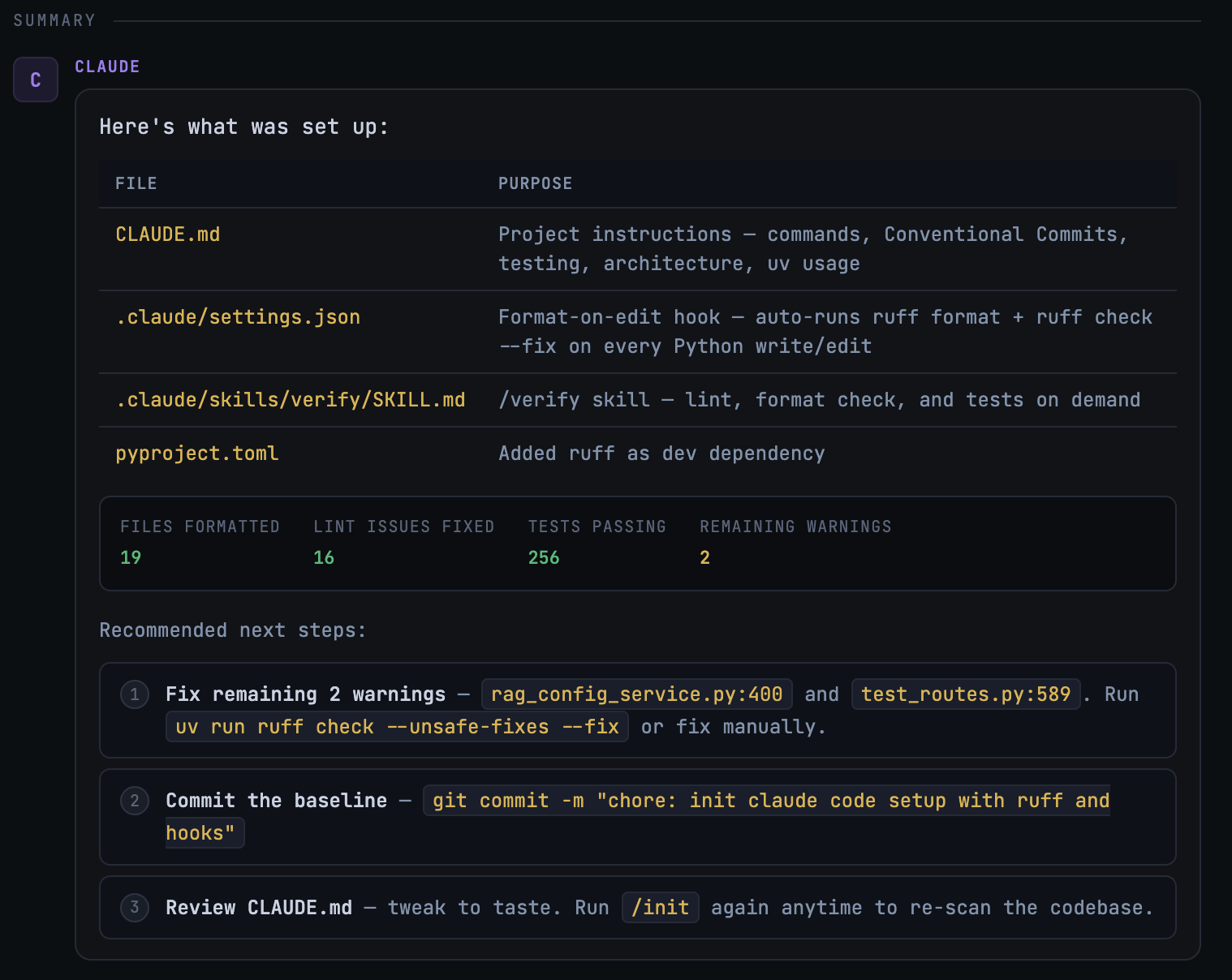
CLAUDE.mdWhat the flag actually buys you
Three concrete differences worth naming:
Depth of context. Claude can only discover what’s in the code. The interactive mode creates a channel for everything else: process, team norms, the tribal knowledge that lives in Slack threads and onboarding docs. The question “what wouldn’t I find in the README?” is worth more than 39 tool calls.
Scope of output. Without the flag you get a file. With it you get a skill you can invoke on demand and a hook that runs silently on every edit. The CLAUDE.md is almost a byproduct.
Agency before execution. The proposal step is easy to overlook, but it matters. You see what Claude intends before it writes anything. That’s a different relationship with the tool, and a better one for a project you’re going to live in.
The bottom line
The default /init is a good starting point. The interactive mode takes an extra three minutes and requires you to actually answer the questions. If you’re onboarding Claude Code to a real project, that’s three minutes well spent.
If you want this as your default behavior, add export CLAUDE_CODE_NEW_INIT=1 to your shell profile, or set up an alias:
alias claude-init="CLAUDE_CODE_NEW_INIT=1 claude"Then run /init and be thoughtful with the prompts. What you get back depends on the additional context you communicate to the agent.