


Point a coding agent at a well-scoped task and it will often deliver working code faster than you could write it yourself. The temptation is to lean into this: fire off a prompt, step away, come back to results.
I recently was reminded of the limits of this approach. Anthropic gave me credits to use Claude Code on the web, at this point in time, a more “fire and forget” interface than the terminal-based tool I usually work with.
For tightly scoped bug fixes and small features, it worked well. For anything more substantial, things could easily drift. The agent would make reasonable-seeming decisions that compounded into an implementation I hadn’t intended. If I had been paying for those tokens out of pocket, I would have been frustrated.
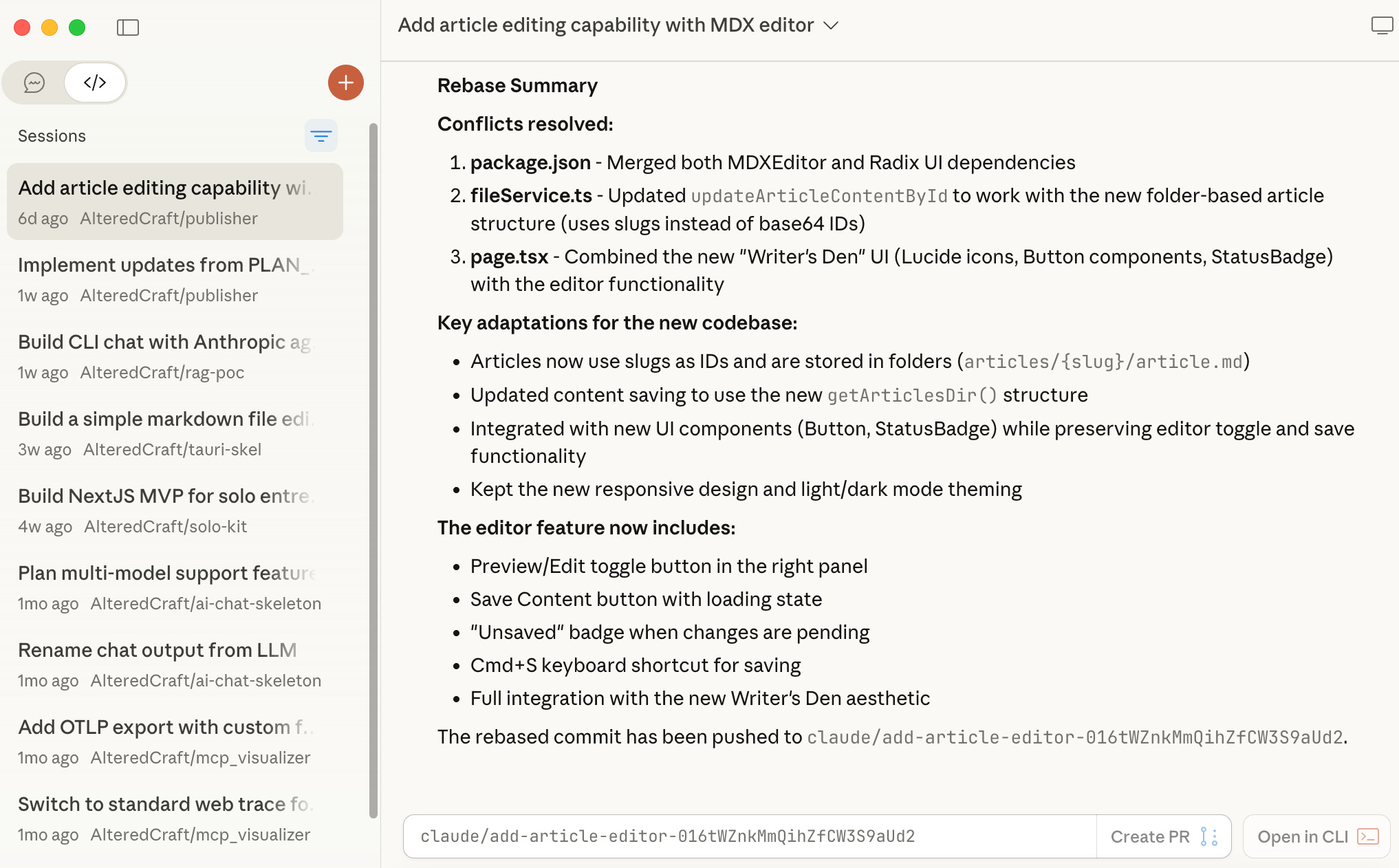
The issue wasn’t the agent’s capability. It was my disengagement. Without checkpoints to review and redirect, small misalignments became large ones. And beyond the wasted effort, I wasn’t learning anything about the code being written. I was a spectator, not an architect.
What Antigravity Got Right
When Google released Antigravity, their AI-powered IDE, I was curious enough to try it. I wasn’t tempted to switch from Claude Code. However, one aspect stood out: their artifact-driven workflow.
Antigravity structures work into three persistent artifacts:
Task List: Decomposes intent into trackable units of work
Implementation Plan: Details the technical approach before code is written
Walkthrough: Documents what was built with verification steps
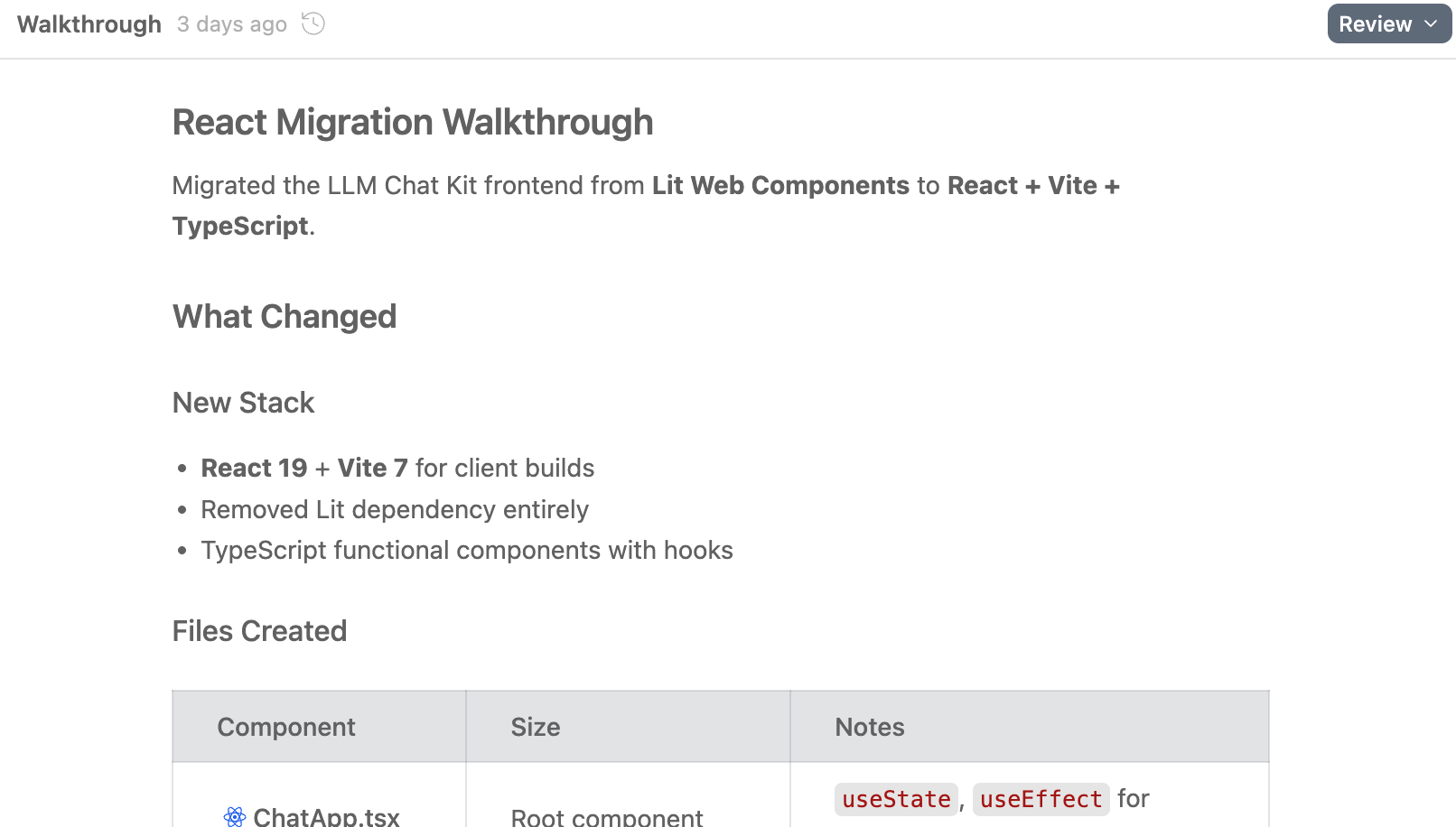
This structure forces engagement at the moments that matter. You review the task breakdown before planning begins. You approve the implementation plan before code is written. You verify results against documented expectations. The artifacts aren’t just project management overhead. They’re checkpoints that keep you in the loop.
Crucially, these artifacts are visible and reviewable throughout the process, not buried in chat history.
Adapting the Workflow to Claude Code
Claude Code doesn’t have this workflow built in. It does have a plan mode that creates a plan and asks for approval, but it’s ephemeral. Once you move on, the plan lives only in the conversation history.
What Claude Code does have is extensibility. The tool’s architecture treats customization as a first-class concern. Slash commands let you define custom entry points. Skills encapsulate reusable behaviors. Both are “just files” in your filesystem, which means you can version them, share them, and iterate on them easily.
I used these mechanisms to build my own artifact-driven workflow. The result is a /build command that orchestrates a set of skills, producing an artifact structure inspired by Antigravity but adapted to my preferences. One key difference: I wanted artifacts that literally persist in source control, creating a permanent record of how my projects evolved.
The Architecture
The workflow lives in Claude Code’s user configuration directory as plain markdown files:
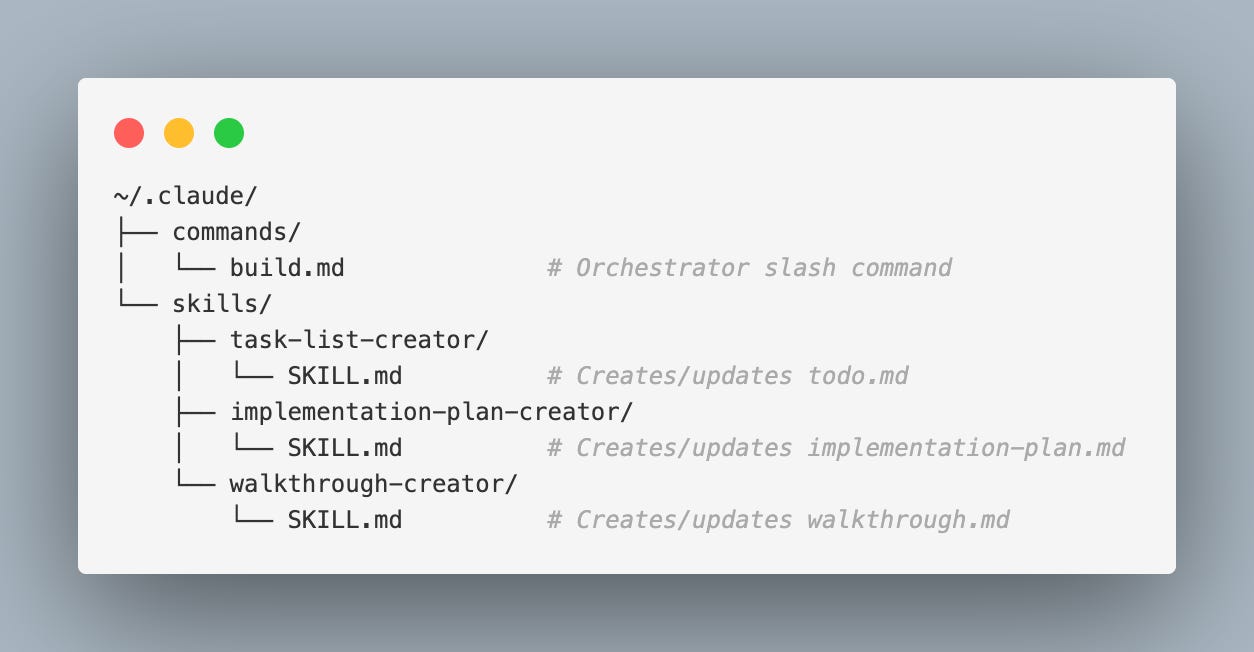
When you invoke /build, the command guides you through four phases:
Interrogation: The agent asks clarifying questions until it has enough context to scope the work. No assumptions, no premature implementation.
Task List [artifact]: The agent creates
todo.mdwith a phased breakdown of work. You review and approve before proceeding.Implementation Plan [artifact]: The agent creates
implementation-plan.mddetailing the technical approach, file changes, and testing strategy. Another approval gate before any code is written.Walkthrough [artifact]: The agent implements the plan, updating the task list as it progresses and building
walkthrough.mdto document what was built.
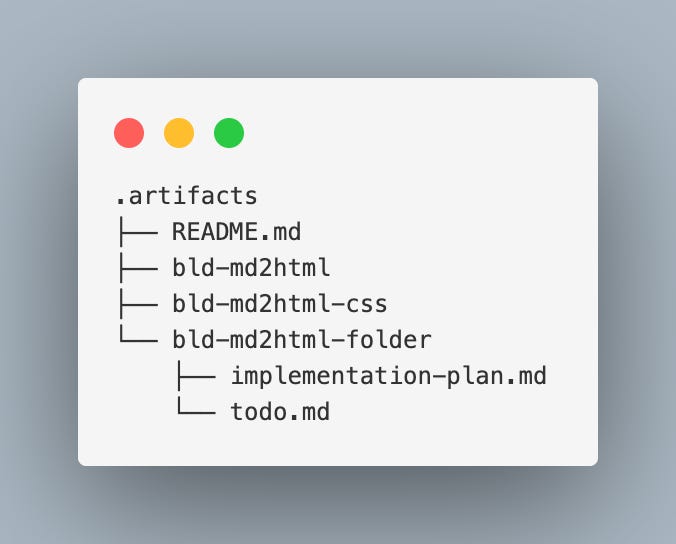
All artifacts live in .artifacts/bld-<project-name>/ within your project:
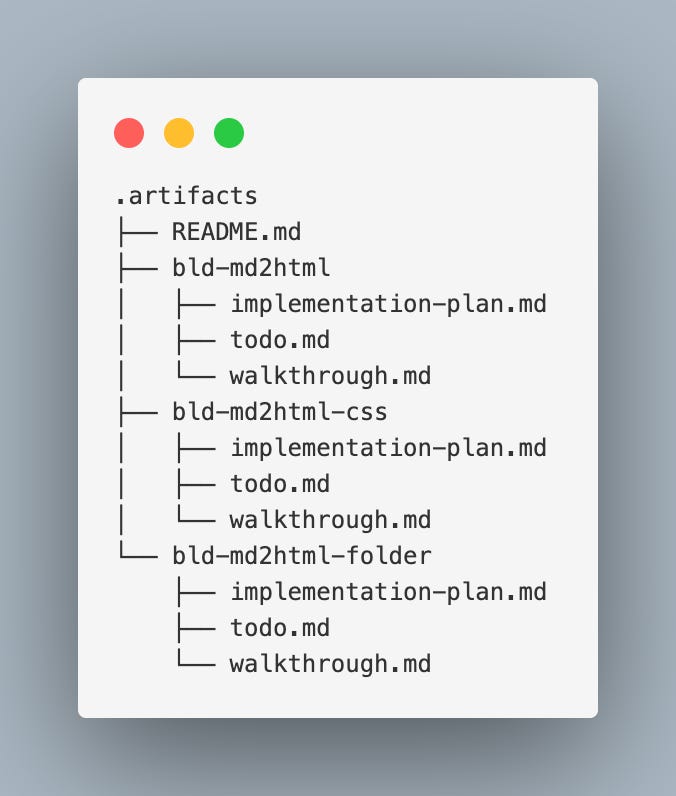
Each build gets its own folder. Over time, this directory becomes a record of your project’s evolution, all under source control.
The Workflow in Action
To test the workflow, I used it for a small experiment: building a Python CLI tool that converts markdown files to HTML. Nothing I actually needed, just a contained project to put the workflow through its paces.
After a couple of builds establishing the basic md to html converter, I wanted to extend it with folder conversion. The ability to point at a directory and convert all .md files within it. A great opportunity to use the build workflow. Here’s an abbreviated view of how that build progressed.
Phase 1: Interrogation
> /build

I found existing builds:
- bld-md2html
- bld-md2html-css

Would you like to continue one of these, or start a new build?

> new

What would you like to build?

> I would like the option to point to a folder and have all .md’s there converted to html

Should this extend the existing md2html tool or be standalone?

> extend

Output location: when converting a folder, where should HTML files go?
- Same folder as source (side-by-side)
- A separate output folder you specify

Recursion: should it process subfolders?

> 1. if -o not given side by side, if -o given then that folder
> 2. add recursive param
Notice what’s happening here: instead of diving into code, the agent is gathering requirements. It recognized ambiguity (where should output files go? should it recurse?) and asked rather than assumed. By the end of this phase, we had a shared understanding of exactly what “folder conversion” meant for this project.
Phase 2: Task List Approval
With requirements gathered, the agent produced a task breakdown:
Task List created:

## Planning Phase
- [x] Review existing md2html codebase structure
- [ ] Create implementation plan document
- [ ] Get user approval on technical approach

## Implementation Phase
- [ ] Extend CLI argument handling
  - [ ] Modify input argument to accept both files and directories
  - [ ] Add `-o/--output` behavior for directories
  - [ ] Add `--recursive` flag
- [ ] Implement folder conversion logic
  - [ ] Create function to discover `.md` files
  - [ ] Handle recursive vs non-recursive discovery
  - [ ] Compute output paths (side-by-side vs output directory)
...

Does this task list look correct? Please confirm or suggest changes.
Phase 3: Implementation Plan Approval
After I approved the task list, the agent detailed the technical approach:
## Proposed Changes

### CLI Layer
**[MODIFY]** `src/md2html/cli.py`
- Update input argument to accept files or directories
- Add `--recursive` / `-r` flag
- Add logic to detect input type and route accordingly

### Converter Layer
**[MODIFY]** `src/md2html/converter.py`
- `discover_markdown_files(directory, recursive) -> list[Path]`
- `compute_output_path(input_file, input_dir, output_dir) -> Path`
- `convert_directory(input_dir, output_dir, recursive) -> tuple[int, list[str]]`

## Testing Strategy
- Unit tests for discovery and path computation
- Integration tests for CLI folder mode
- Manual verification using project’s own markdown files

Does this implementation plan look correct? Please confirm to begin execution.
Only after explicit approval did the agent write any code. By this point, I understood exactly what would be built and had shaped the approach so the coding phase actually meets my requirements. I also had an evolving plan for this feature being persisted to the artifacts directory:
Phase 4: Execution and Walkthrough
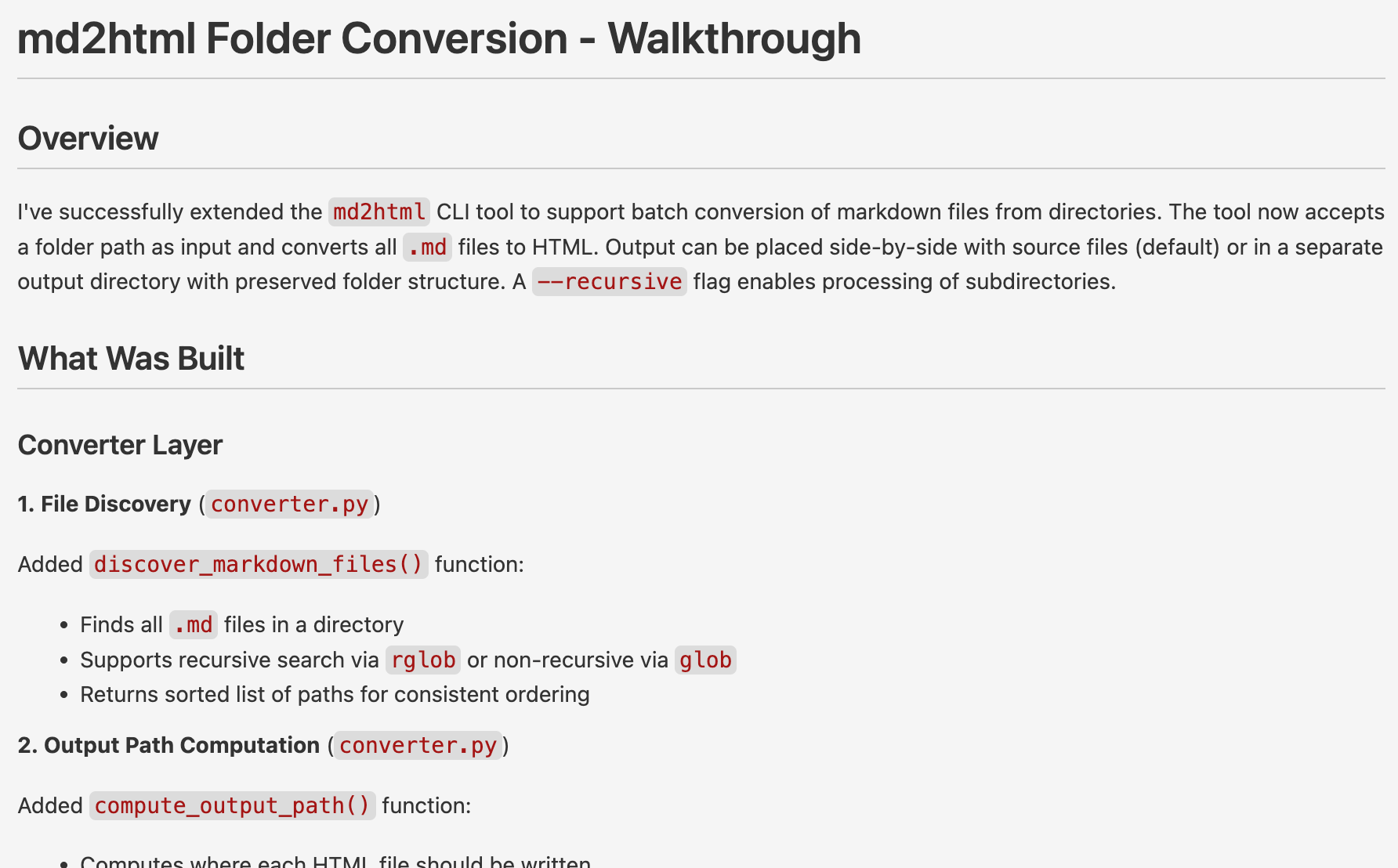
The agent worked through the tasks, checking them off as it went. When complete, it presented a walkthrough summarizing what was built: files modified, files created, how to run it, how to test it.
All tests passed. I had a working feature, documented artifacts in source control, and I understood what had been built because I had been engaged at every decision point.
Iteration is the Point
This workflow isn’t meant to be an exact copy of Antigravity’s approach. I took the ideas I liked such as visible artifacts, mandatory planning, approval gates and shaped them to fit how I actually work. Source-controlled artifacts, an initial interrogation phase, and requiring formal test files (using the language’s standard framework rather than ad-hoc verification) were some of my additions. The specific phase structure reflects my preferences. Yours might look different.
Even as I was drafting this article, I thought of an addition: Architecture Decision Records. When the /build command creates the .artifacts directory, it should also create a shared ADR.md file. The build command then uses an adr-manager skill to update this file when significant architectural decisions are made during implementations. That’s a ten-minute change to the command and skill files. The workflow evolves with how I work.
Shifting Engagement Left
The shift-left principle in software development argues that catching issues early, when the cost of change is low, is better than catching them late. The same principle applies to working with coding agents.
If you disengage during implementation and only review at the end, you’re reviewing at the most expensive moment. The code is written. Changing direction means throwing work away.
An artifact-driven workflow shifts your engagement left. You review the task breakdown before planning. You review the implementation plan before coding. By the time code is written, it reflects decisions you’ve already approved.
This isn’t just about efficiency. A disengaged developer isn’t learning. When you step back and let the agent work unsupervised, you lose the opportunity to understand the codebase it’s building. You become fully dependent on the tool rather than augmented by it.
For me, the goal isn’t to automate myself out of the loop. It’s to use these tools to amplify my judgment, not replace it. That requires staying engaged.
Get the Tool
The /build workflow is available as a
Claude Code plugin. You can install it via the Claude Code plugin manager, see the marketplace repository for instructions.
Or manually copy the command and skill files from the repository.
The files are plain markdown. Read them, modify them, make them yours. That’s the point.