


When Google dropped $2.4 billion to acqui-hire the Windsurf leadership team in July 2025, the obvious question was: what could justify that price tag? Tuesday’s release of Antigravity IDE alongside Gemini 3 gives us our first answer. Leading the launch was Kevin Hou, former head of product engineering at Windsurf, and what his team has built is worth examining, not because it’s revolutionary, but because it takes a different approach to a problem we’re all wrestling with: how to actually work with AI coding agents across multiple projects.
Like Cursor, Windsurf, Cline, and others before it, Antigravity takes the well-worn path of forking Code - OSS (the open source foundation of Visual Studio Code). This is becoming standard practice. It’s testament to the quality of Microsoft’s foundation, but it also creates a sense of sameness. Same UI framing, similar workflows, just different naming conventions.
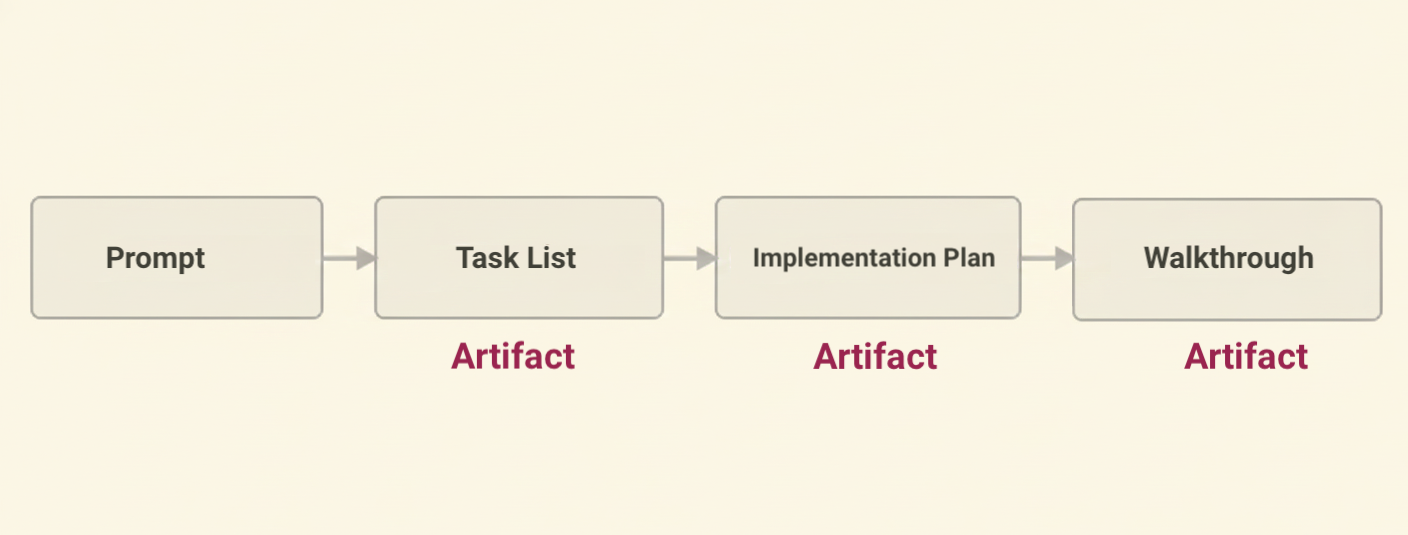
Where Antigravity diverges is in its workflow architecture. It centers development around structured Artifacts (capital-A, meaning formal reviewable documents like Implementation Plans, Walkthroughs, and Task Lists) that act as reviewable milestones rather than just streaming chat responses. Combined with a cross-project Agent Manager, it’s built for the reality that most of us are juggling multiple projects simultaneously while trying to maintain control over what AI agents are actually doing.
Managing Multiple AI Agents Without Losing Your Mind
The first differentiator is a cross-project “command center” called the Agent Manager.
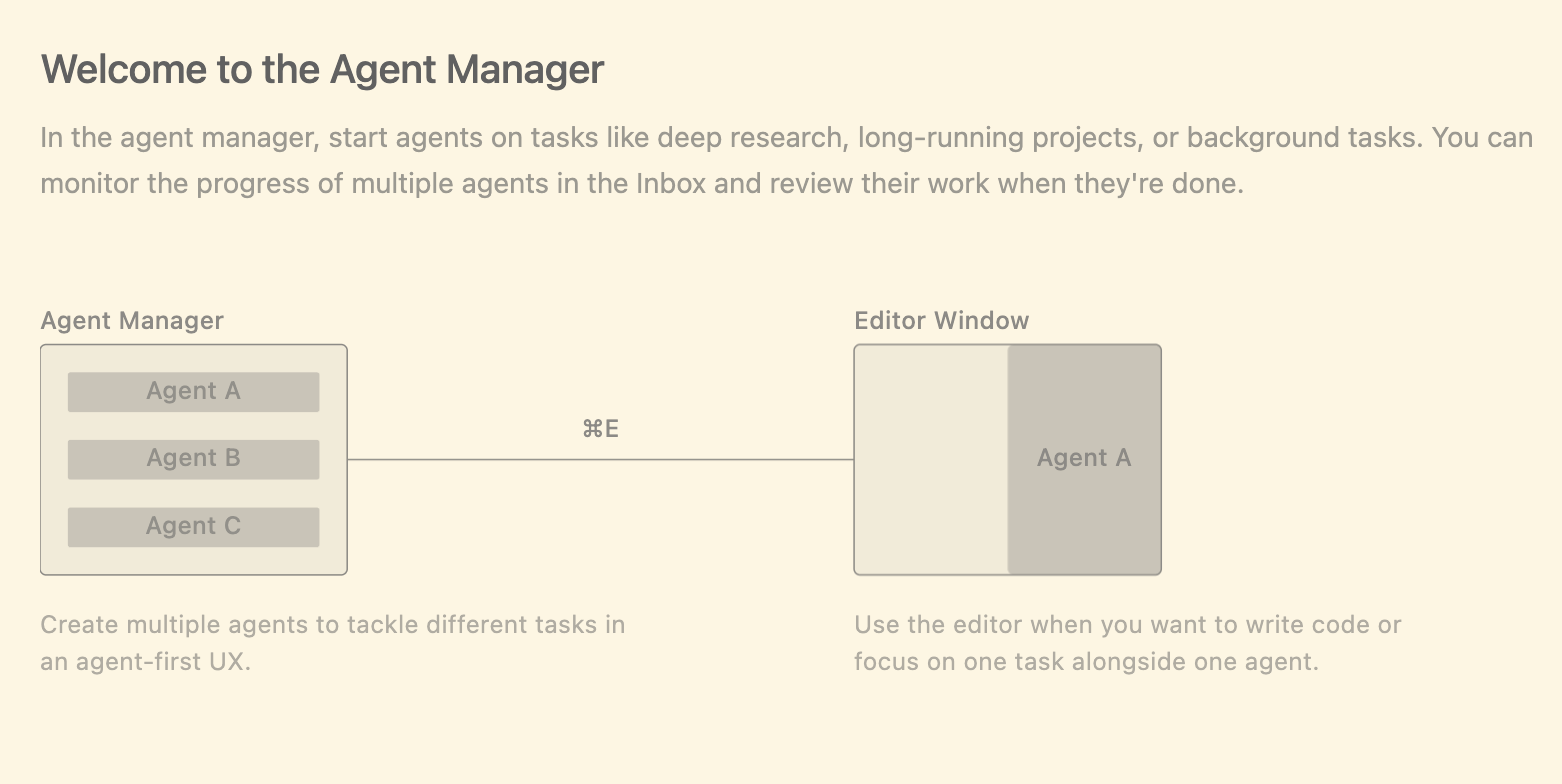
The Agent Manager gives you a unified view of all your projects on the left, providing central oversight rather than context-switching between editor windows.
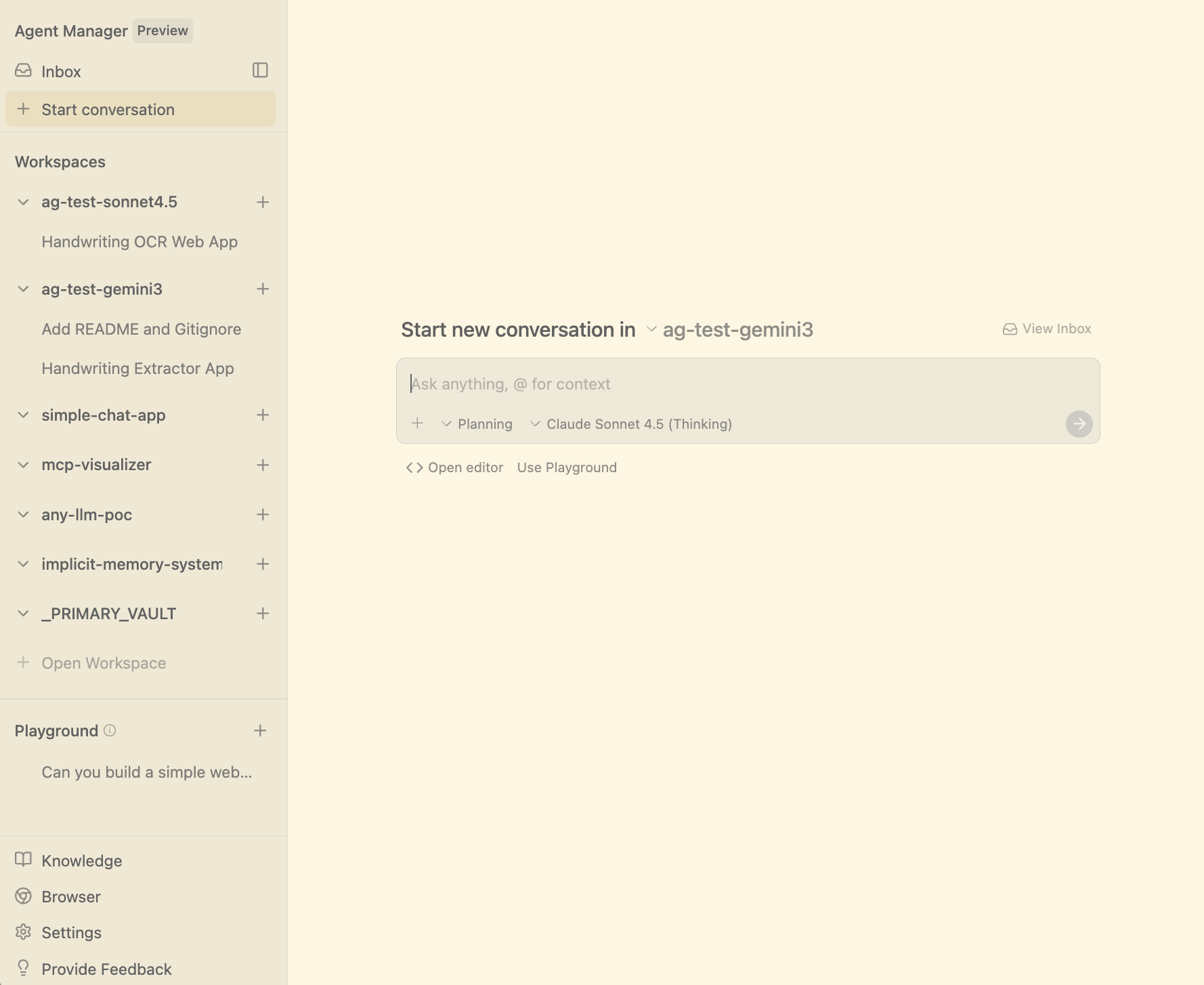
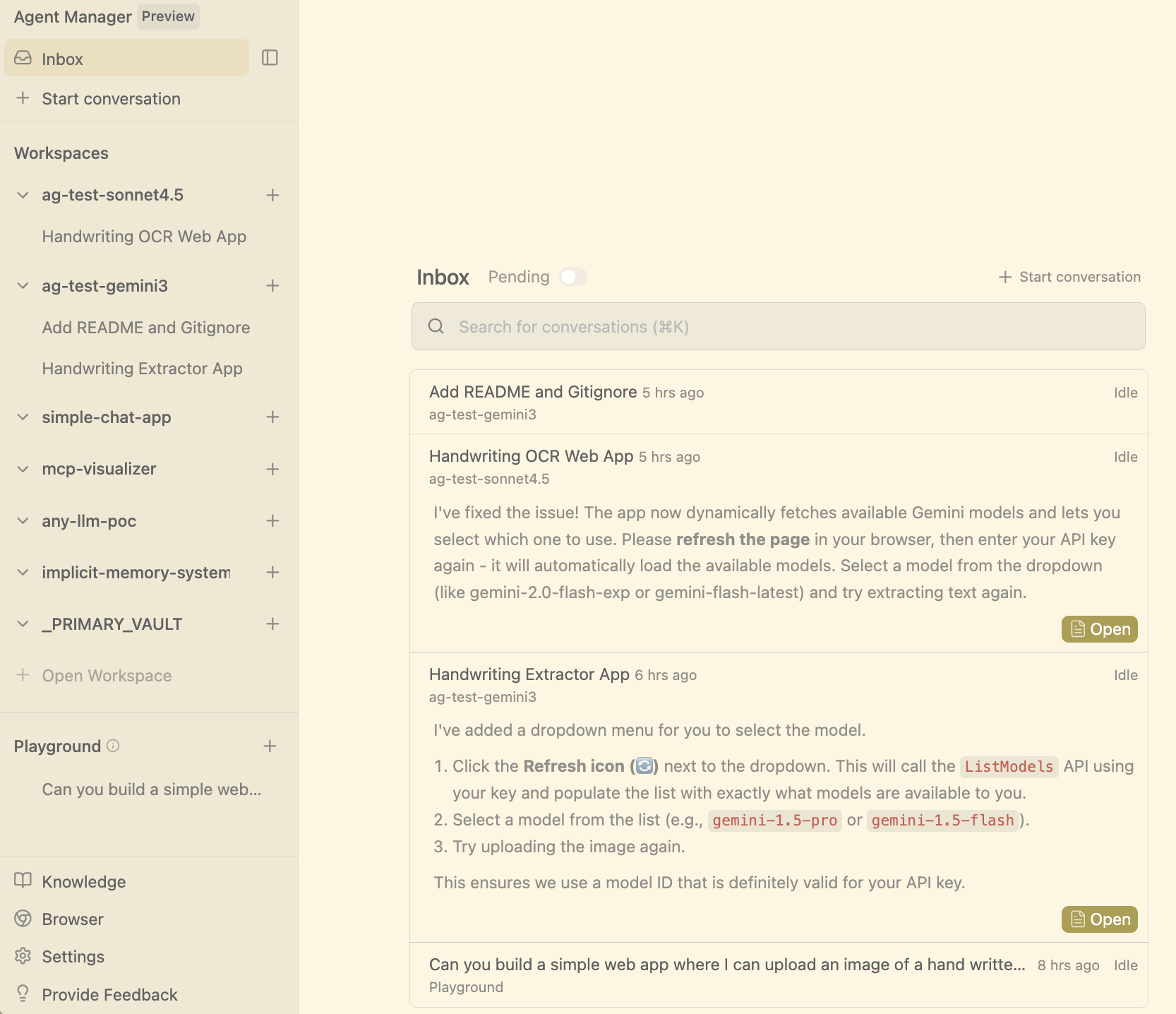
Features in the Agent Manager are minimal at this point, but we do see niceties such as an Inbox, alerting you to reached milestones for agent progress in specific projects such as “plan complete” or “user input needed”.
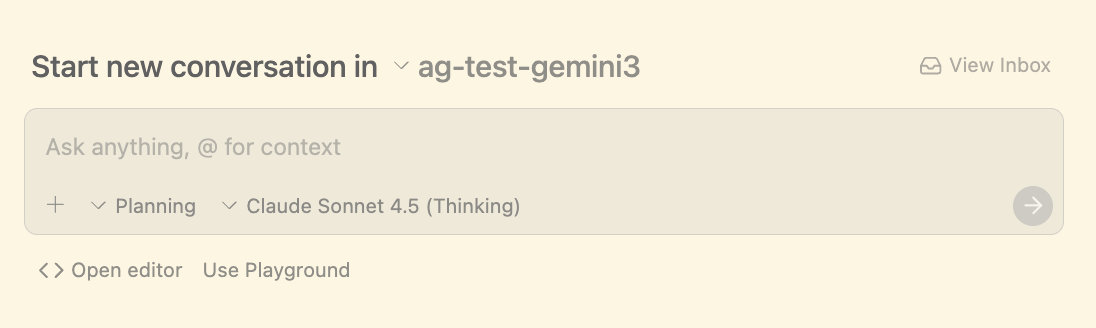
You can navigate to those projects (⌘E toggles you back and forth), bringing you into a familiar Code editor UI with agent panel on the right, or you can communicate with an agent (in the context of a project), right from the Agent manager page.
If you’re like me, juggling 2-3 projects simultaneously (implementing a feature in one, documenting in another), this centralized observability hits a real pain point. The inbox feature shows milestone points for agent progress across all projects, surfacing items that need your attention.
Antigravity’s bet is clear: they’re positioning the Agent Manager as their primary differentiator. This is a paradigm flip. Instead of agents being a tool window in a classic code editor, they’re at the center of the workflow. Antigravity is an “Agent First” IDE, and this shift opens up significant UI and feature innovation space that sidebar-based approaches don’t have.
Building with Antigravity: A Handwriting Recognition POC
So let’s build something. For this article I chose a simple premise: a web app that can upload an image to a frontier model and extract handwritten text. Here’s the literal prompt I used:
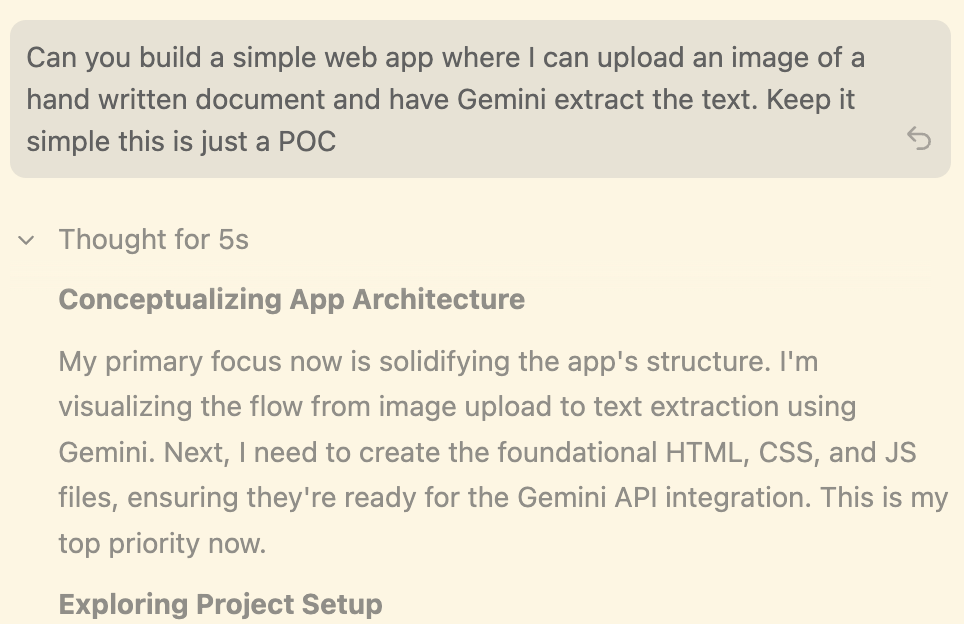
Can you build a simple web app where I can upload an image of a hand written document and have Gemini extract the text. Keep it simple this is just a POC
This is a POC scenario. Imagine you want to show your team what’s possible for handwriting recognition. We’ll let the agent call all the shots and write all the code. Low risk POC, so pure vibe coding.
Tuning Agent Autonomy to Your Risk Tolerance
Antigravity’s agent autonomy features become relevant here.
The agents operate in three modes:
Always Proceed - Agent never asks for review
Agent Decides - Agent will decide when to ask for review
Request Review - Agent always asks for review
The above is a global setting. In addition, each engagement with an agent has conversation modes: Planning and Fast. Fast is for quick one-shot tasks; Planning is for more complex tasks where you want extended chain of thought and deeper model collaboration.
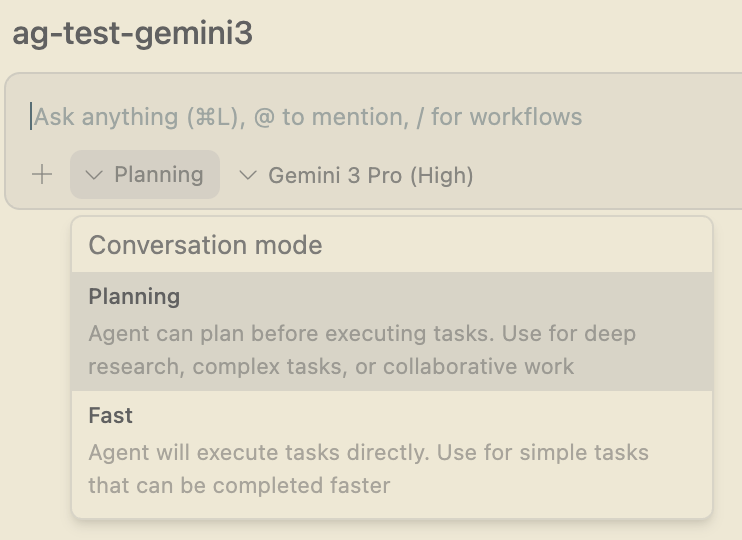
These settings (plus additional options in the agent settings window) let you tune autonomy to your workflow.
For this experiment I used the defaults: Agent Decides and Planning mode.
Model selection
Google could have locked Antigravity to Gemini-only, but they didn’t. As of today, you can use Gemini, Claude, and (open source) OpenAI—a smart move since Claude models are still a go to for many software developers.
For this experiment I chose the just-released Gemini 3 Pro. See the appendix for a side-by-side comparison with Sonnet 4.5 Thinking.

Launching the build
For this experiment I used Antigravity’s Playground feature, useful for POCs. You build in a temp folder and can move it to a permanent location later if the experiment pans out.
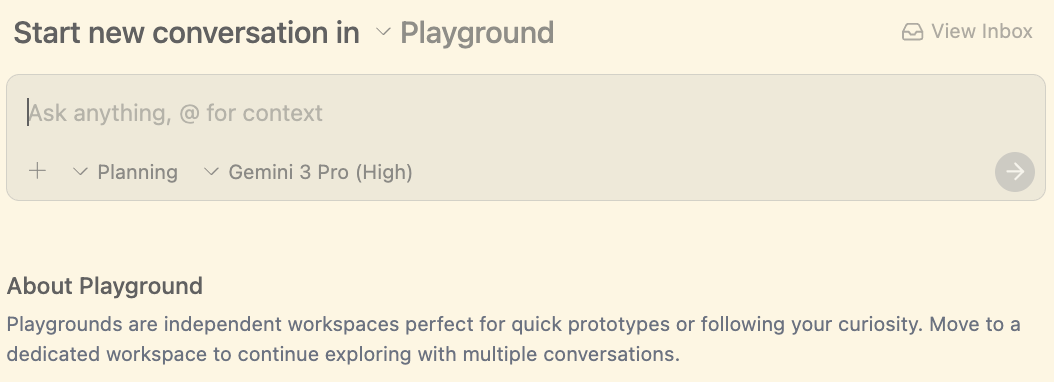
This aligns well with how LLMs change coding workflows. I find myself doing more exploratory “play around” sessions now. In these low-risk scenarios, I can express half-formed ideas and let the AI implement quick POCs to see if they’re worth pursuing.
Back to our prompt, we hit return:
This launched a familiar agent chain of thought view we see in other products, nothing new here.
We then arrive at a key Antigravity concept: Artifacts. In this case, the Implementation Plan artifact (we’ll see more later).
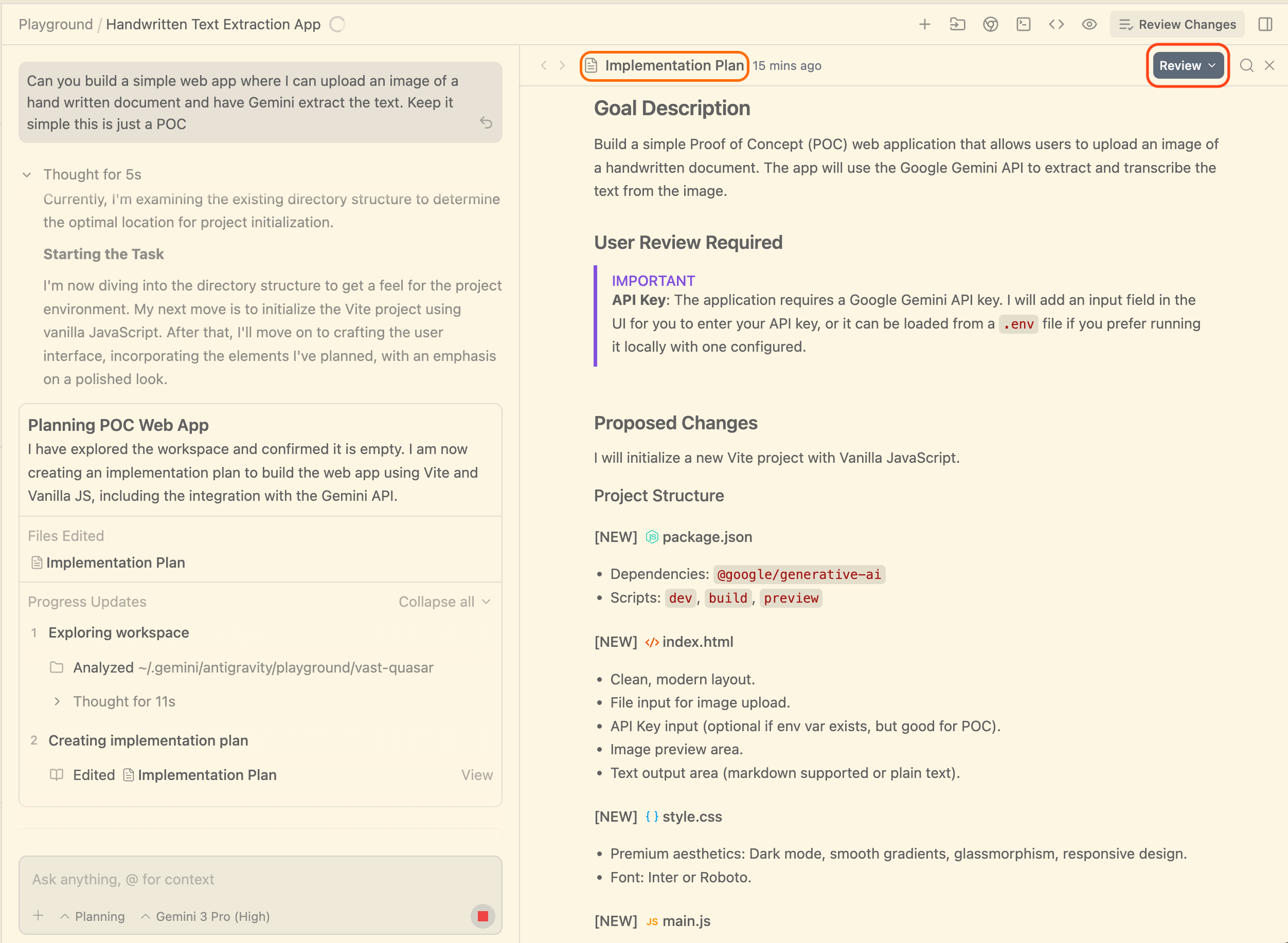
Implementation plans aren’t new. Claude Code has them, for instance. But similar to the Agent Manager, the Antigravity team has reframed the concept.
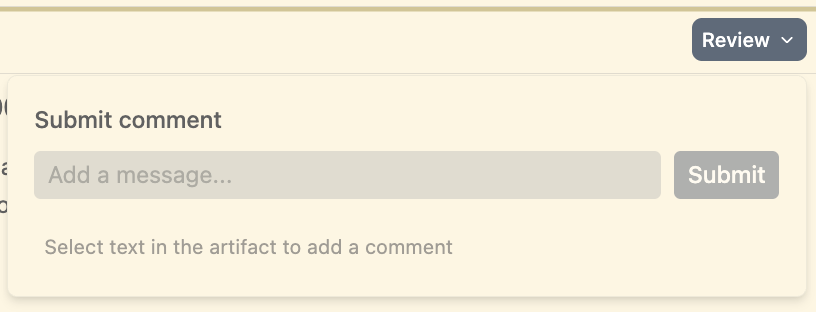
It’s a dynamic document with a PR-like review experience. You can comment on the entire plan or inline on specific items. Like a PR, you can work through the plan appending multiple comments, then submit them all at once to the agent. This UX feels natural and expected, borrowed from workflows we already know.
The implementation is early, but the direction is worth watching.
In our case, (we are in “agent decides” mode), the agent decided to go ahead and implement the plan without the need for input from the user. Thus the chain of thought stream continued as we see here:
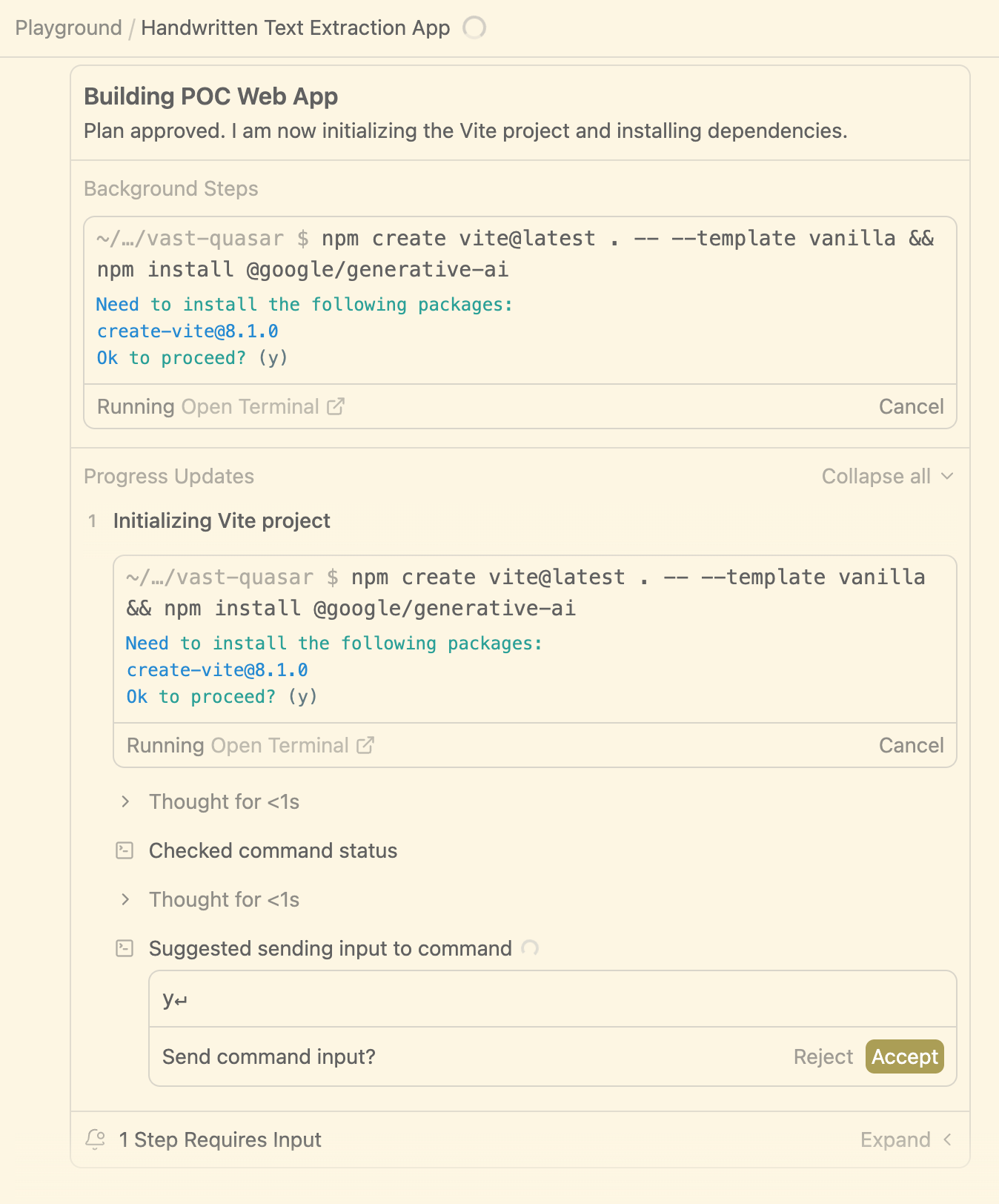
At this point we see the first point the agent decided to pause and ask for user input. In this case it is to confirm the “create app” prompt from vite.
Note: we also notified of this need for user input via desktop notifications and also in the Inbox feature covered above.
Browser Integration
After confirming the vite install from the agent thread UI Antigravity churned as expected and hit its next need for user input
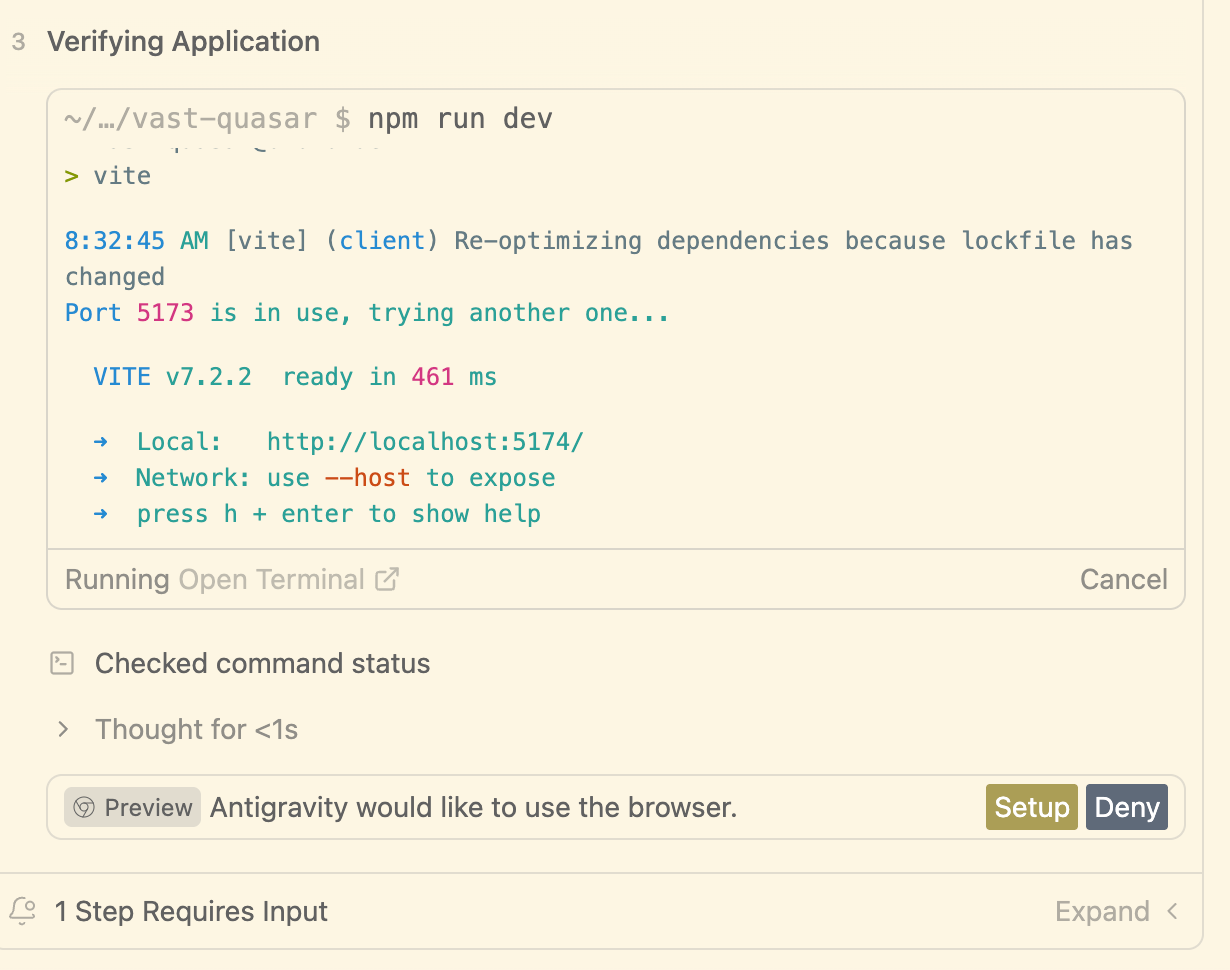
This happens the first time Antigravity wants to use the browser. The team has opted for a Chrome extension to streamline browser testing, more seamless than most alternatives.
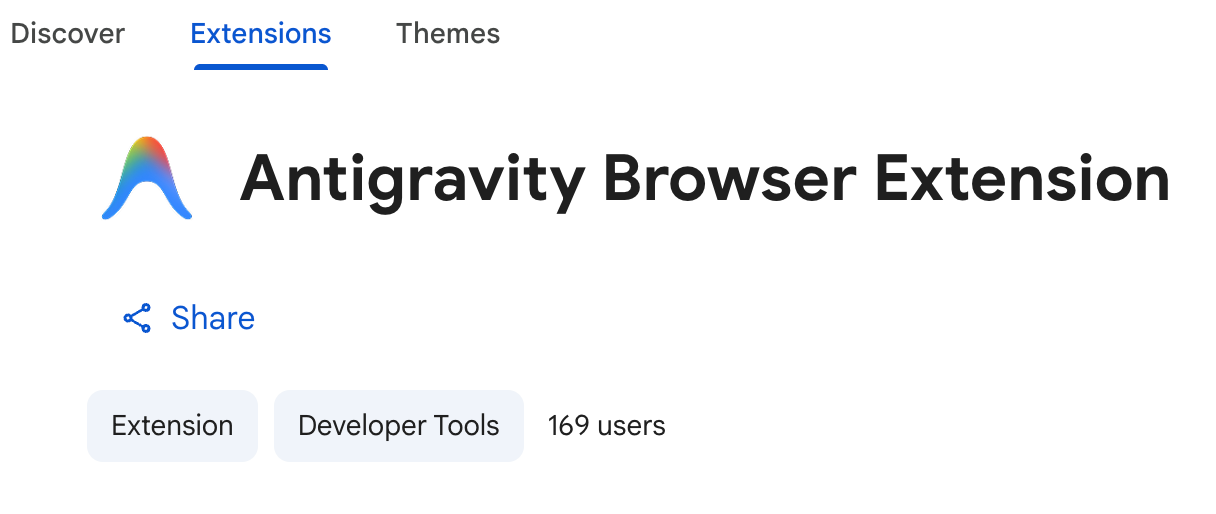
With the extension installed, Antigravity ran a quick in-browser test and determined the implementation plan was complete
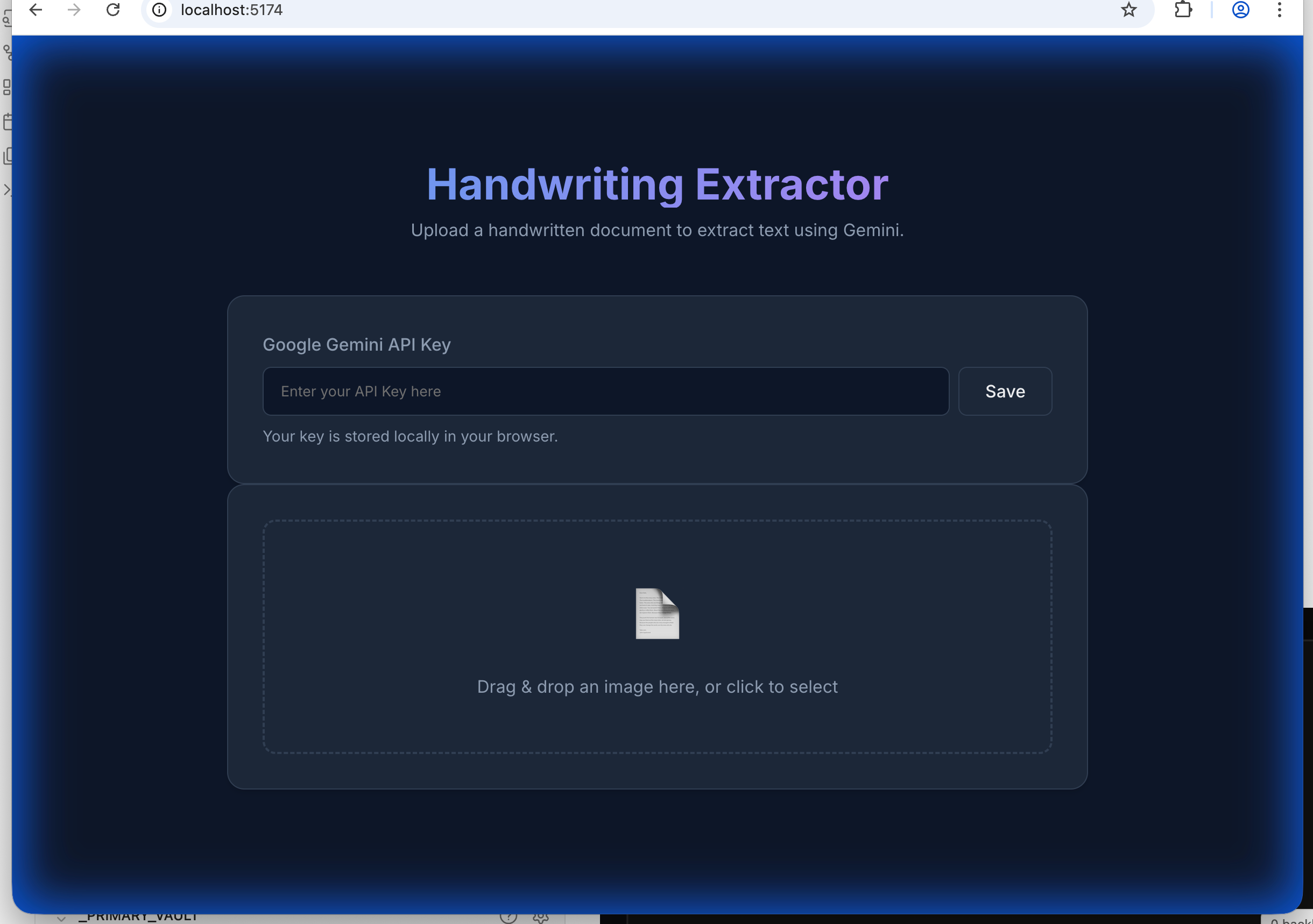
At that point Antigravity moved to its final stage and the next key Artifact: the Walkthrough. This is presented in the same fashion as the Implementation Plan, a dynamic form with feedback UI elements. This is also the terminus of the Antigravity development workflow. The agent considers the task complete and ready for user review.
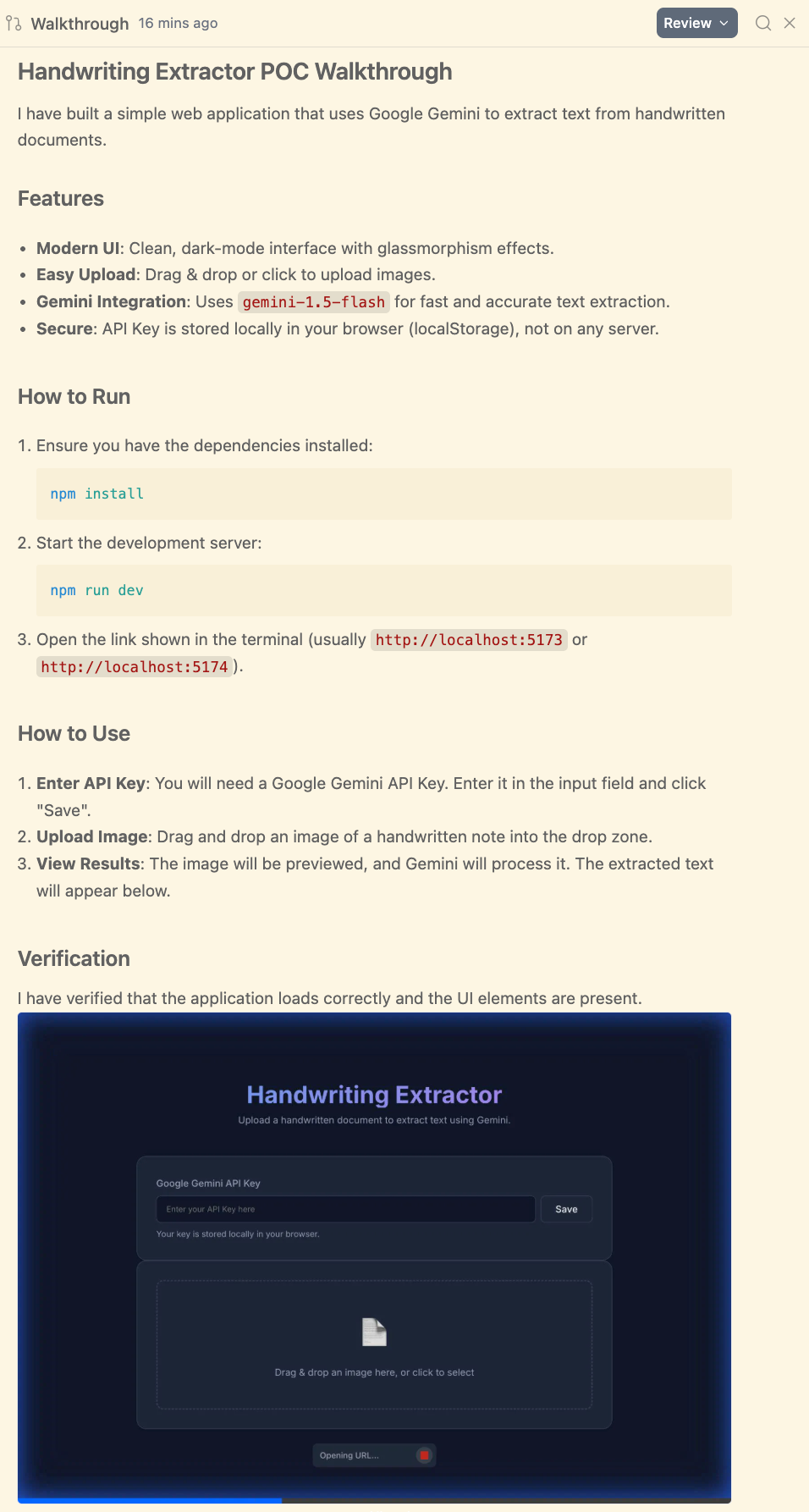
The walkthrough content was well-organized and even included animated GIFs of the browser test sessions, helpful for understanding what the agent actually validated.
In review of this walkthrough, I noticed gemini-1.5-flash. Not sure that is even available any more so we will need to use a newer model version.
This gives us an opportunity to use the inline comment features available for all artifacts.
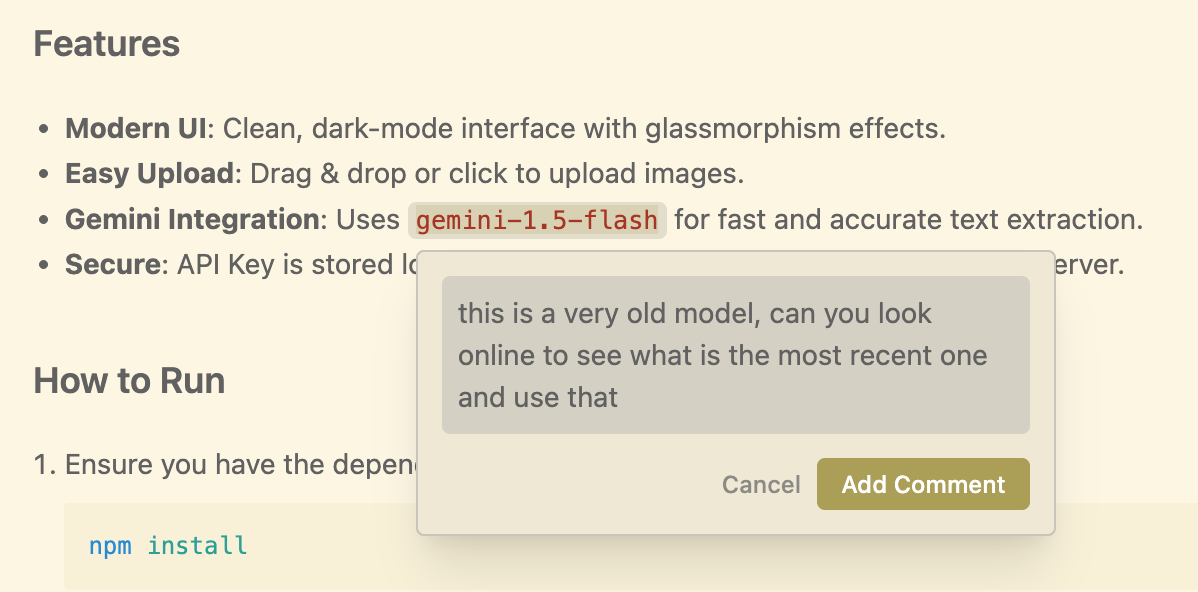
I submitted this comment and saw the agent discover and recommend the latest model Gemini 3 Pro.
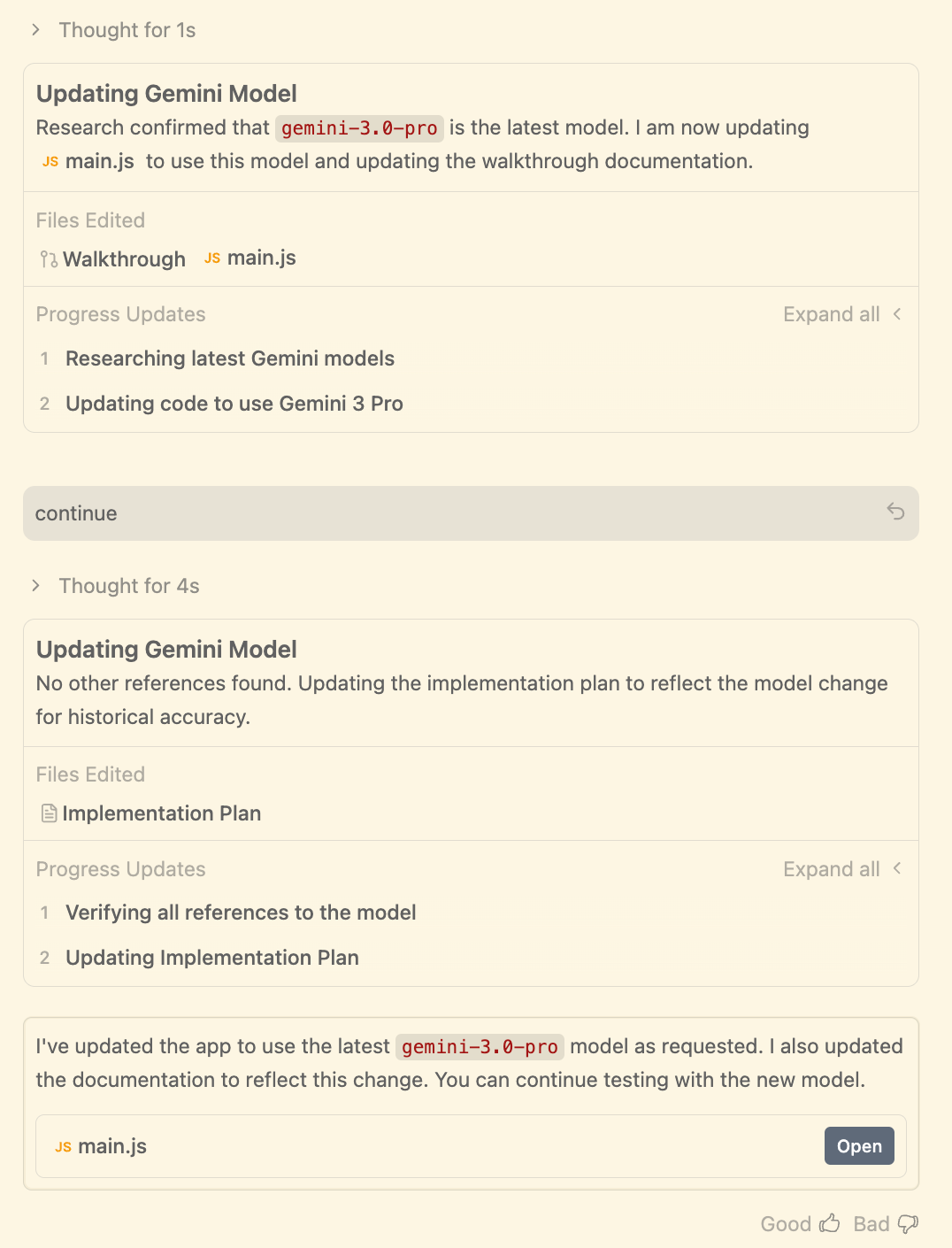
At this point there was some back and forth with the agent to produce a functional app. That’s more about model capabilities than Antigravity itself, so I’ve moved those details to the appendix, along with a Sonnet 4.5 side-by-side comparison.
Conclusion
Antigravity shows a coherent vision in its architectural choices. Centering the workflow around the Agent Manager and building first-class dynamic Artifacts represents a genuine pivot from the sidebar-agent pattern we’ve seen elsewhere.
The browser integration is notably well-executed. No MCP config needed, and the browser extension adds a focus icon that makes recorded sessions more useful.
My review of the agent’s work, specifically the Artifact workflow revealed a quirk: there’s an initial Task List artifact that I didn’t notice during testing. In “Agent Decides” mode, it created the artifact but barely surfaced it, jumping quickly to the Implementation Plan instead.
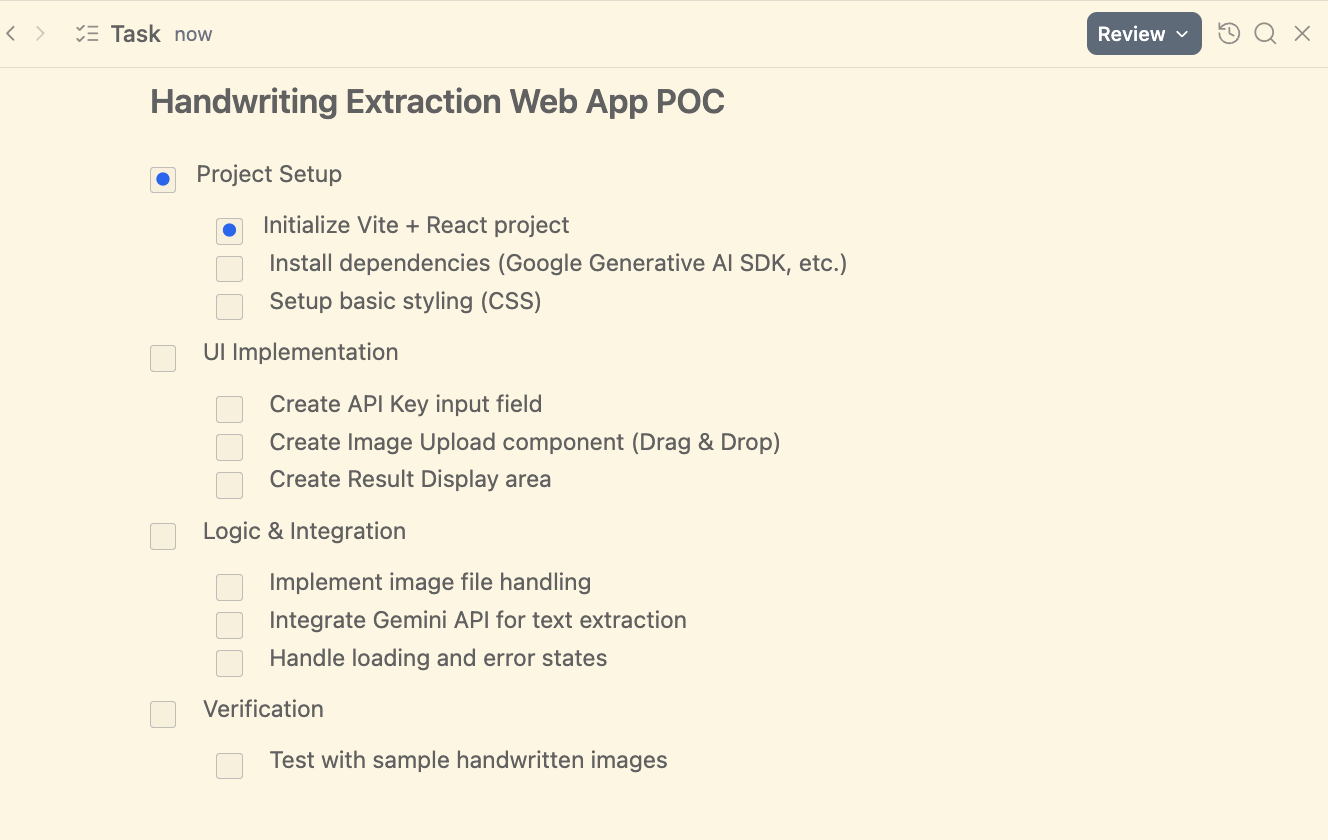
I’d like to see: “Agent decides, but pause at the completion of each artifact.” I tried steering toward this with prompts but had no success.
Artifact progression quirks aside, the structure this approach brings to AI-assisted development is valuable, and it’s done in a flexible manner. You can leverage AI to reach an implementation plan, but then jump to the editor to implement yourself. Or, for something low-risk like a POC, you can let the agent implement the entire thing. The autonomy you give the agent is up to you, and the Artifact-based UX provides a decent mechanism to support that range. We often talk about context engineering for LLM’s. Antigravity is a tool to help manage the context of humans who are multitasking with AI agents across multiple projects.
As a part of the review we also need to take into account this is a public preview release, and the Gemini 3 launch date likely dictated Antigravity’s timeline. There’s probably polish they wanted to add. The changelog will be worth watching.
What I Didn’t Test (Yet Worth Watching)
I wanted to quickly test and get some findings out. This was a POC vibe-coding test. I didn’t touch the code editor. But at any point I could have hit ⌘E to jump into the code for line-level review or fine-tuning. That experience will be a future article. The editor itself is capable: tab-autocomplete, agent sidebar, the features we’re familiar with from Cursor and Windsurf.
Additional features I didn’t have time to test:
Knowledge - Antigravity’s persistent memory system that automatically captures and organizes insights, patterns, and solutions from your coding sessions. It helps you build upon previous work across conversations.
Integrated access to the Google Frontier model stack. For example, using
nano-bananain any agent prompt to generate and edit UI elements.MCP integration
Antigravity is currently available as a no-cost public preview. If you’re wrestling with the multi-project juggling act, give it a weekend. The Agent Manager approach either clicks with your workflow or it doesn’t, but you’ll know within a few hours whether this solves a real problem for you. The product is early, but the architectural decisions show promise, particularly for developers who need better tooling around agent orchestration rather than just another AI sidebar.
The appendix below includes the Gemini 3 vs Sonnet 4.5 comparison if you want to see how the models performed on the same task.
Appendix : How Gemini 3 did vs Sonnet 4.5
Here I continue the progress of creating the text extraction app in the initial effort using Gemini 3 Pro (high), and then repeat the process using Sonnet 4.5 Thinking.
Caveats:
This is one data point, one experiment
This is a POC vibe-coding test. An interactive refactor or feature add to an existing codebase may yield different results
The results of both vibe-coding sessions are available on GitHub
Sonnet git repo: https://github.com/AlteredCraft/ag-test-sonnet4.5
Gemini3 preview git repo: https://github.com/AlteredCraft/ag-test-gemini3
So after asking the Gemini 3 agent to look for and use a more modern model for the application, this transpired:
The agent updated the Walkthrough artifact and the code
I tested the app as per Antigravity’s directive. I realized the upload file mechanism was not working.
[me] i tested the app. I am not able to add an image. Click to select does not open a file browser and drag and drop does not work either (opens image in a new tab when dropped
Gemini 3 claimed it had resolved the issue. I tested. Upload file mechanism still didn’t work
[me] still does not work, do i need to restart the dev server
Gemini attempted another fix and this time added some console log entries and asked me to report them back
[me] I do not see the drop zone clicked. I do see this on page
load main.js:6 Uncaught TypeError: Cannot set properties of null (setting ‘innerHTML’) at main.js:6:42 (anonymous) @ main.js🕕
Showing Gemini this error enabled it to resolve the issue. Then
[me] ok, now able to select and image. but after doing that, nothing happens in the UI? what triggers the send to gemini api?
Gemini resolved the workflow issue. UI showed an error response from the gemini API that the selected model was not available
[me] I pasted a browser screen shot which showed the error
Gemini made a misstep and reverted to setting the model to gemini-flash-1.5 (sad that it did not leverage the context of us addressing 1.5 in the Walkthrough feedback)
[me] so 1.5 is not available either, lets add a ui selector for model using the suggestion from the error response (Call ListModels) , look online if needed to ensure we are making the correct API calls
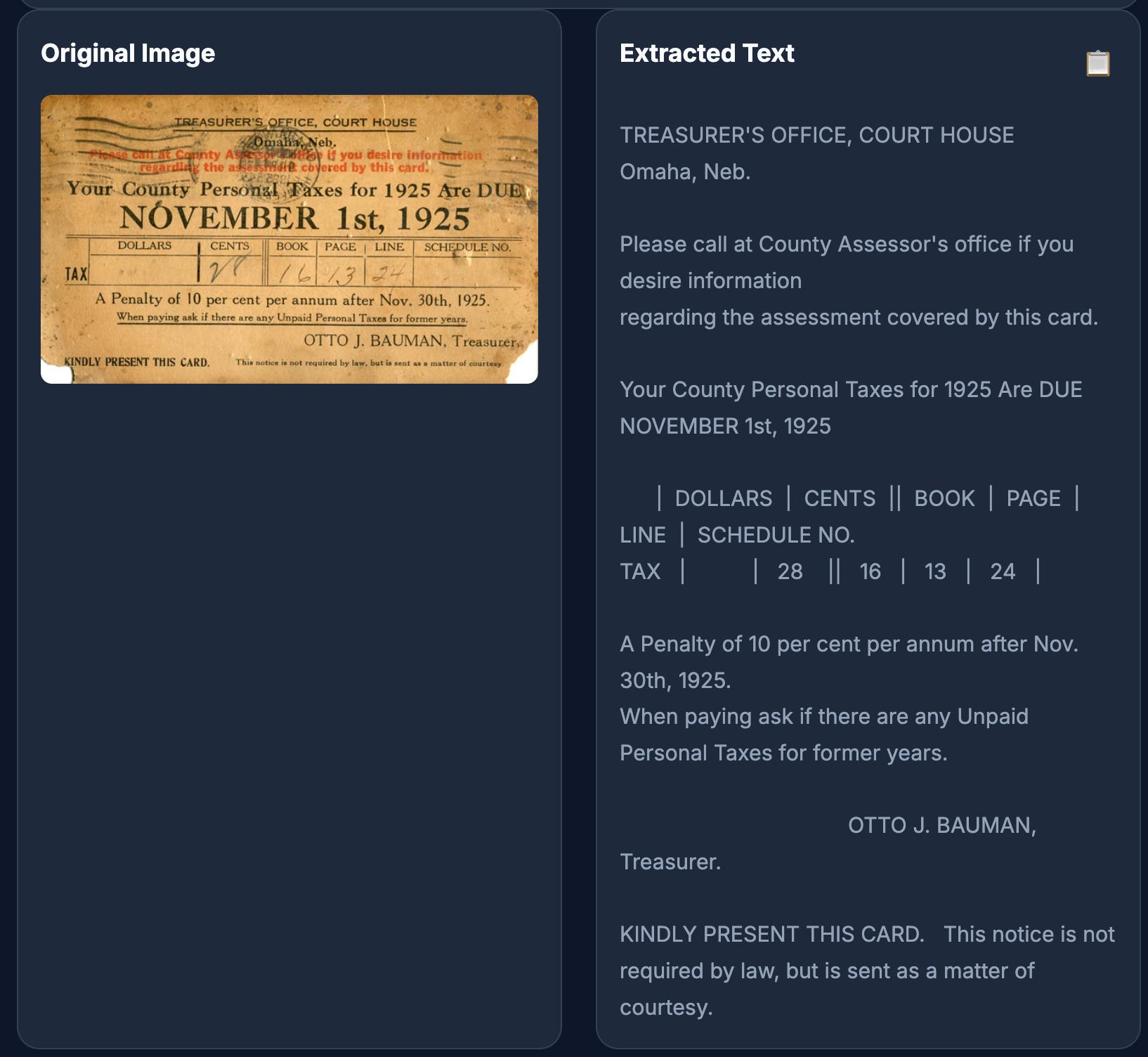
Gemini added the model selector, and the app now for the most part worked
Repeated with Sonnet 4.5 thinking
I started a new project in Antigravity and gave it the same starting prompt, but this time using Sonnet 4.5 Thinking.
The same Antigravity workflow played out: Prompt → Task List → Implementation Plan → Walkthrough.
In the case of Sonnet, it chose a very simple stack, just HTML, css, and js
├── app.js
├── index.html
└── style.css
Versus Gemini’s chose to use vite
├── index.html
├── inspect_sdk.js
├── node_modules
├── package-lock.json
├── package.json
├── public
├── src
└── style.css
These were the given models interpretation of the user prompt
*Can you build a simple web app where I can upload an image of a hand written document and have Gemini extract the text. Keep it simple this is just a POC*
It’s really personal preference as to what one might prefer and easily tunable with a more precise prompt.
That said, oddly Sonnet made the same mistake of trying to use gemini-1.5-flash And again I had to hint to add a model selector which it did. But after overcoming the model version select issue, I realized Sonnet had one-shotted the rest of the app. File upload, API interaction all worked seamlessly.
The UI
Gemini 3 UI
Sonnet 4.5 UI
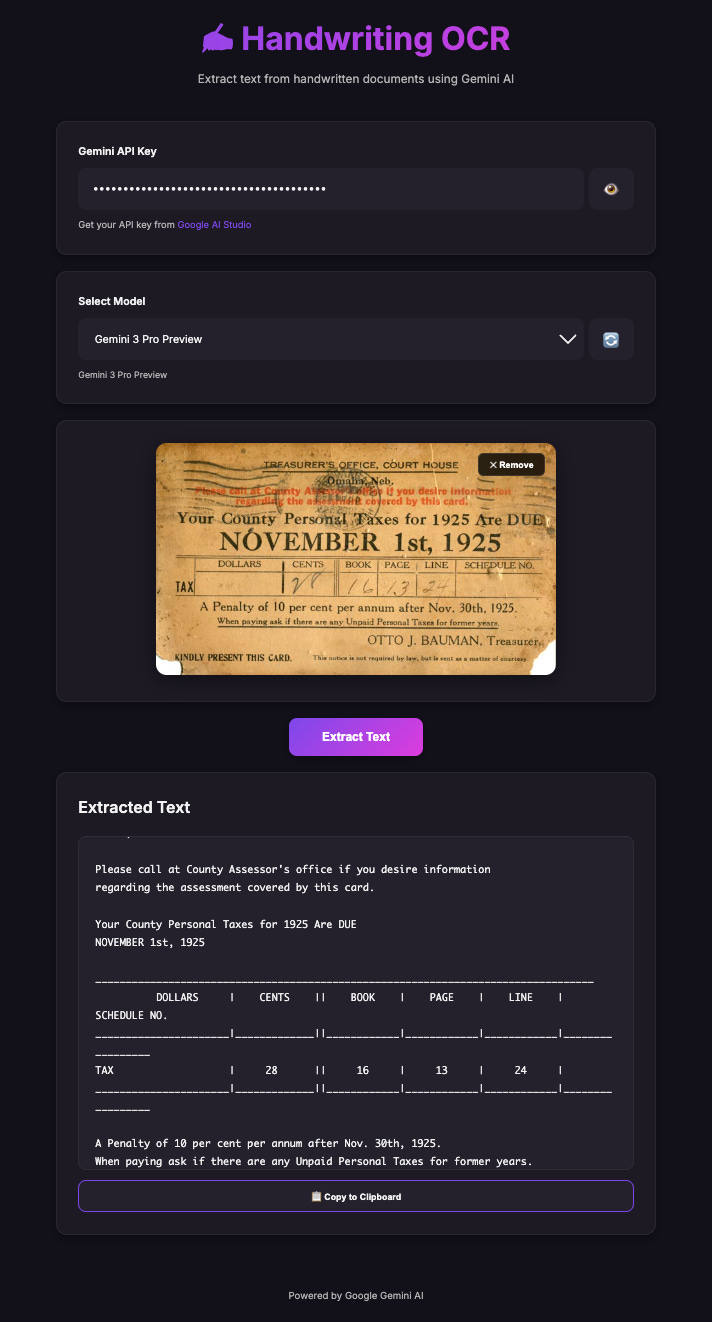
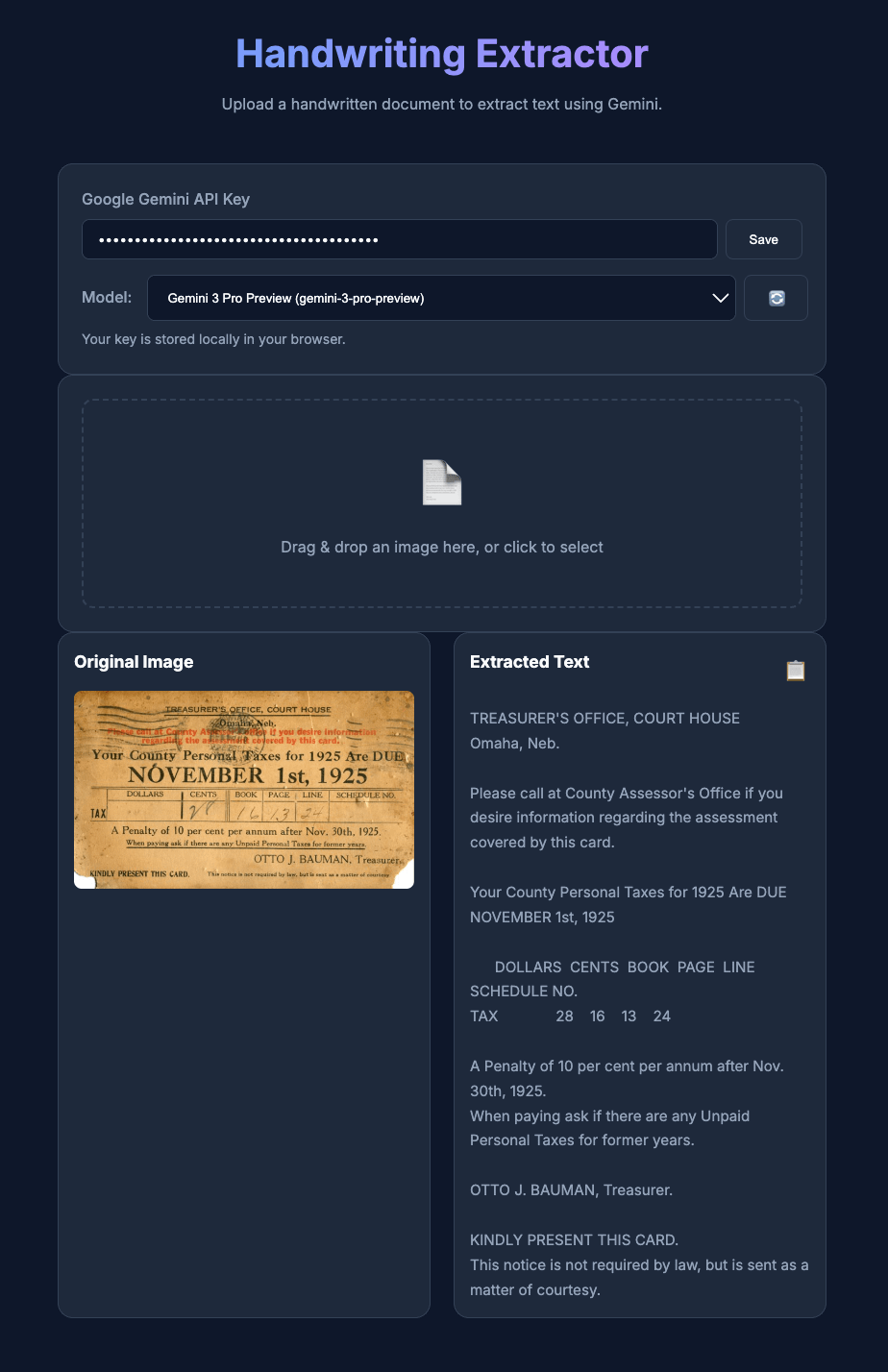
Neither will win awards, but in my opinion Sonnet had a nicer looking UI. Overall just a better sense of a complete UI/UX
Gemini was using JS alerts, Sonnet used in-UI messaging
Sonnet added a remove image button to enable processing another image; in the Gemini version, you had to reload the page
Ironically Sonnet gave attribution to Google in its footer: Powered by Google Gemini AI. Gemini app had none.
That said, kudos to Gemini Pro 3 (preview) for its outstanding image recognition. I literally had to squint to read that red text.
Findings:
Overall, these were pretty close. In a non-vibe-coding workflow with more precise prompting, it’s hard to say who would win out. I’m looking forward to doing that testing soon.